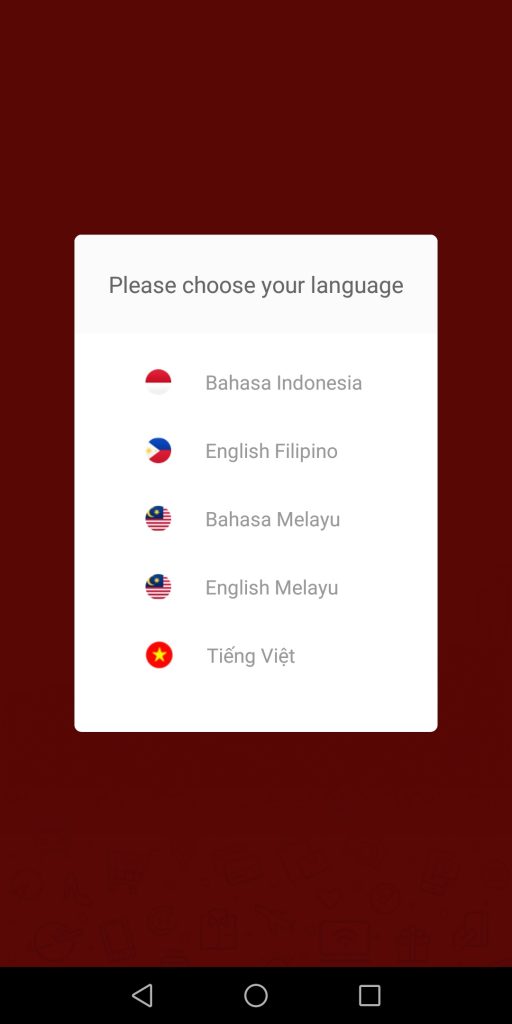
 Step 2: Once installed in your mobile phone, choose your preferred language.
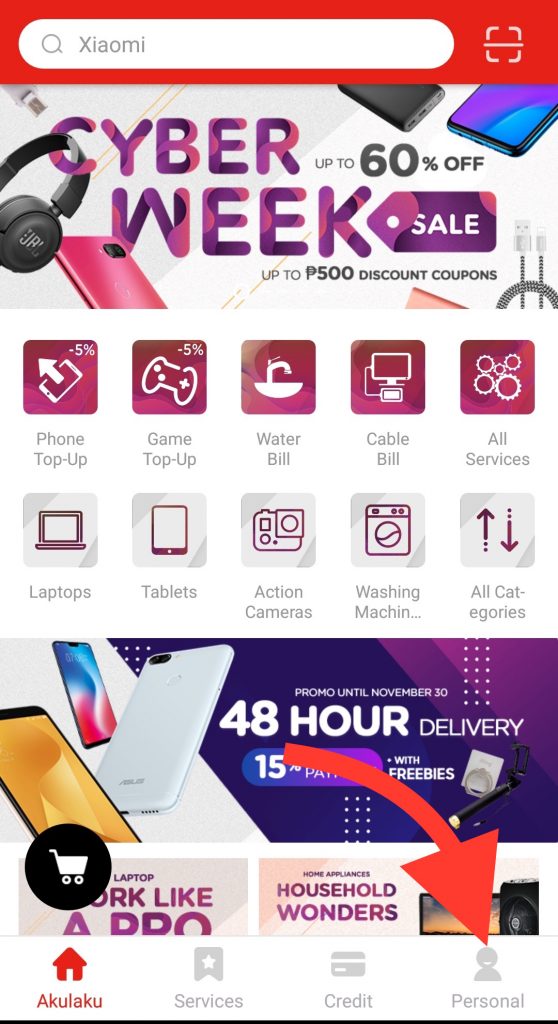
  Step 3: On the landing page, click Personal. The Personal tab will also reflect your personal infomation as well as the status of your orders.
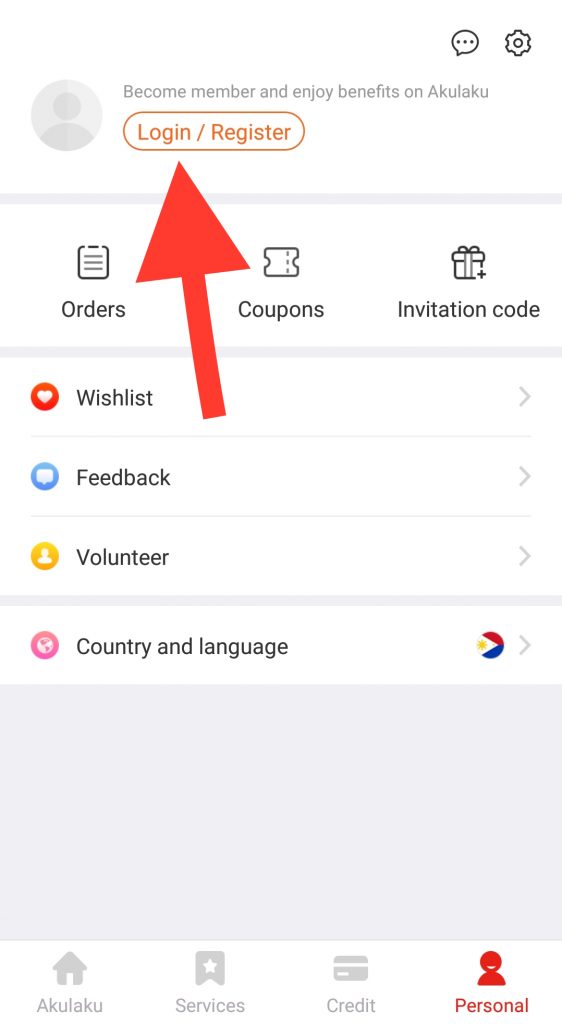
  Step 4: Click Login / Register
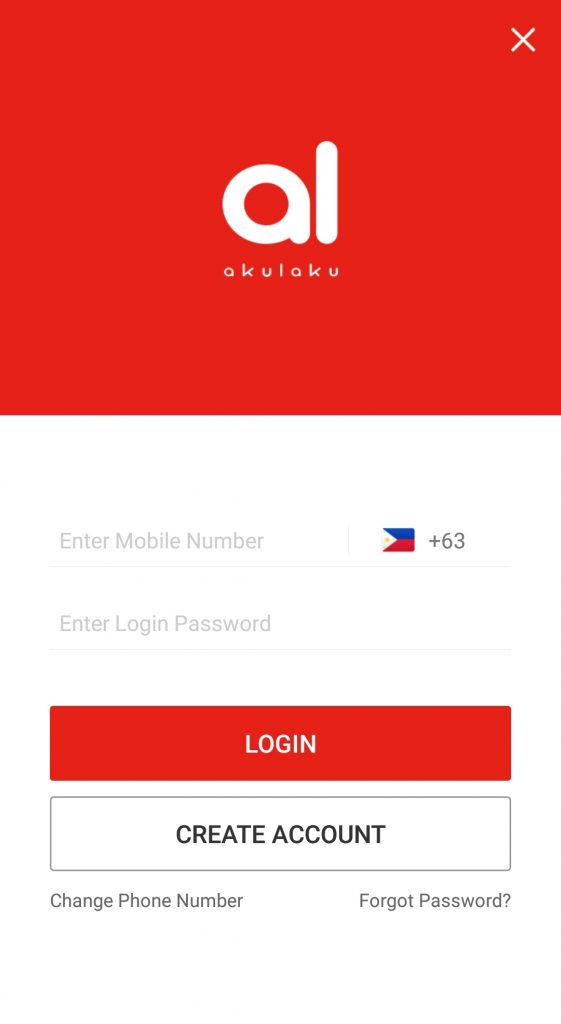
  Step 5: Enter your mobile number and preferred log-in password. Then, click Create Account.
  Step 6: Enter your mobile number again and then click Send Code. A Verification Code will be sent to the mobile number you registered. Copy and then enter the code to proceed with your registration.
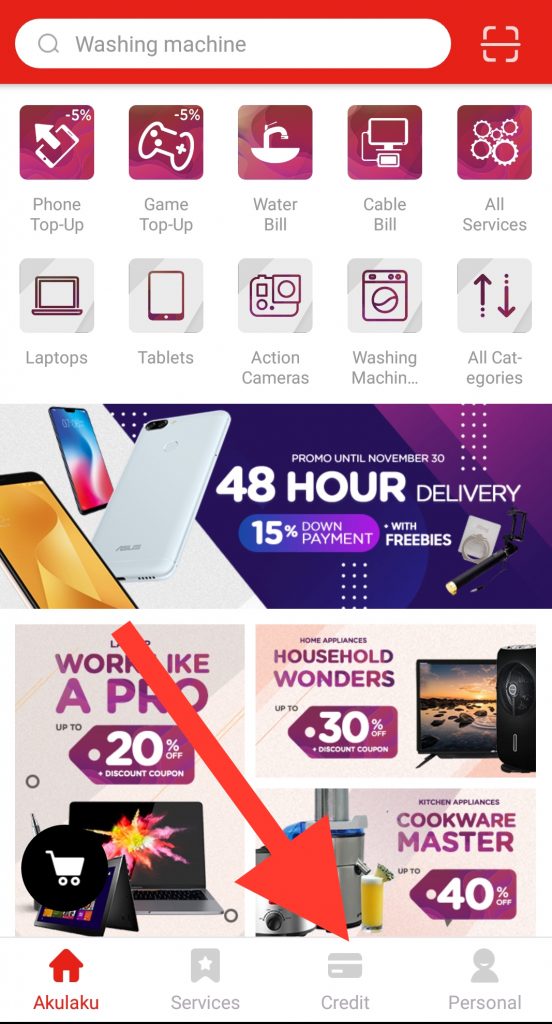
 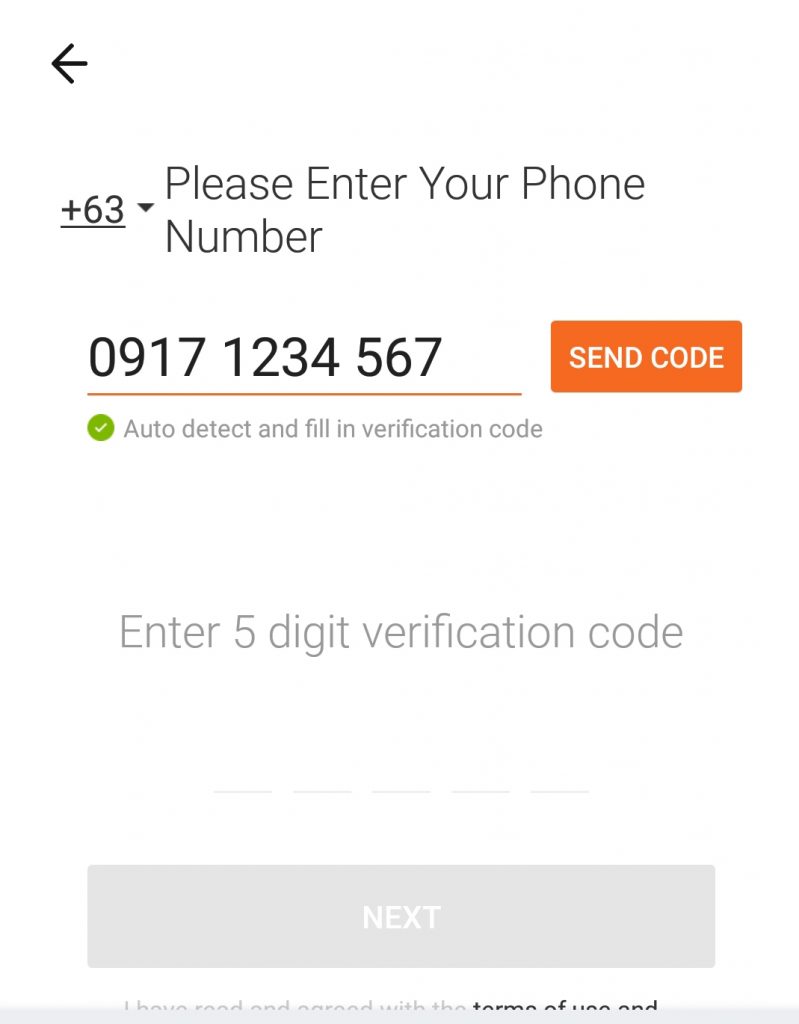 Step 7: You will be back in the landing page as soon as you successfully verified your account. Click Credit.
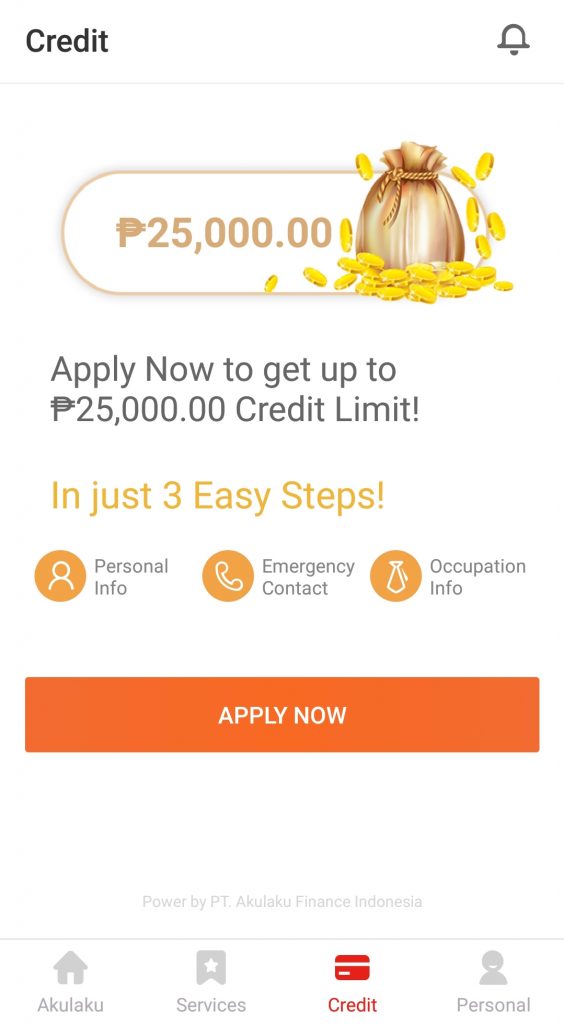
  Step 8: On the Credit landing page, click Apply Now.
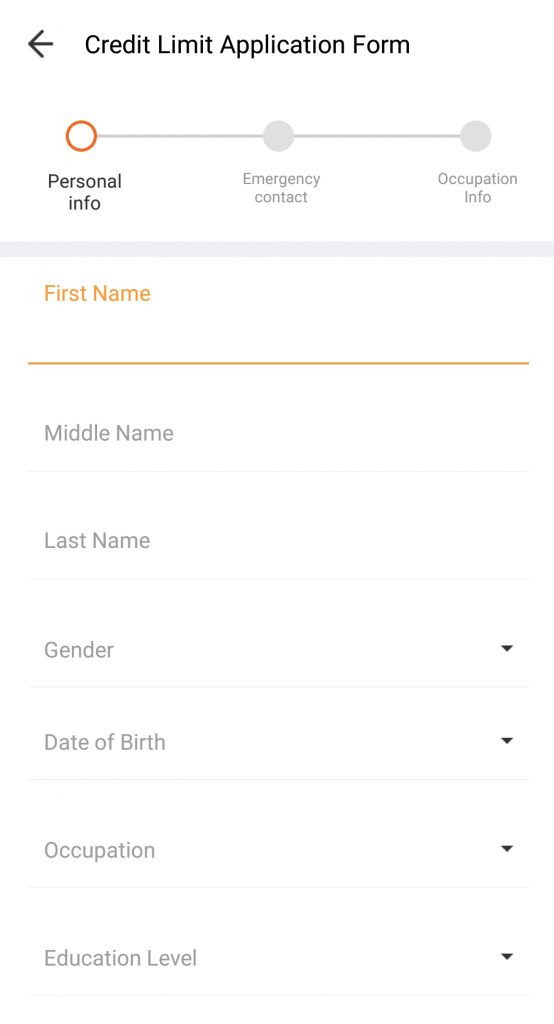
  Step 9: Fill out the Credit Limit Application Form truthfully. Make sure that the details reflect who you are.
  Step 10: Search for your corresponding employer. In case your employer is not on the list, simply input your employer’s name.
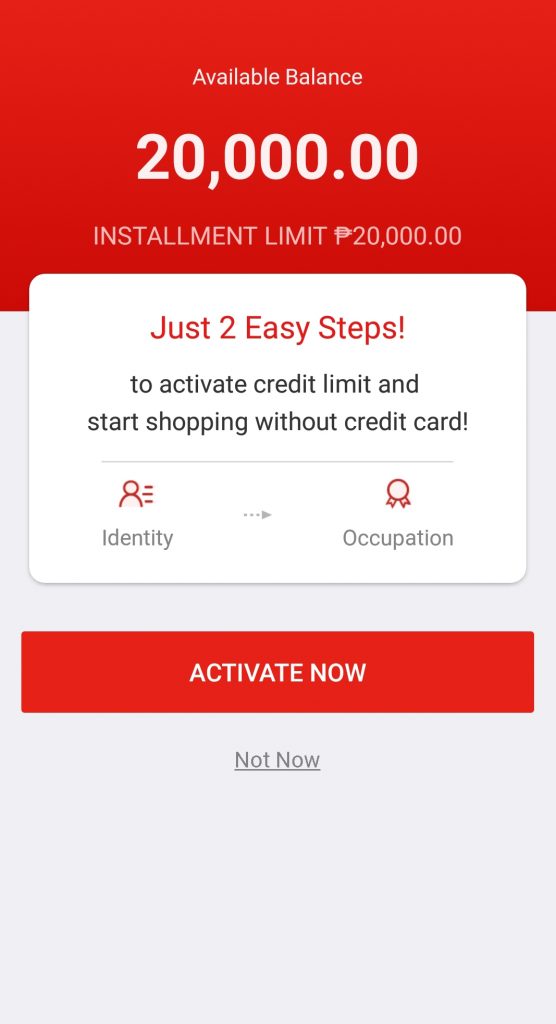
 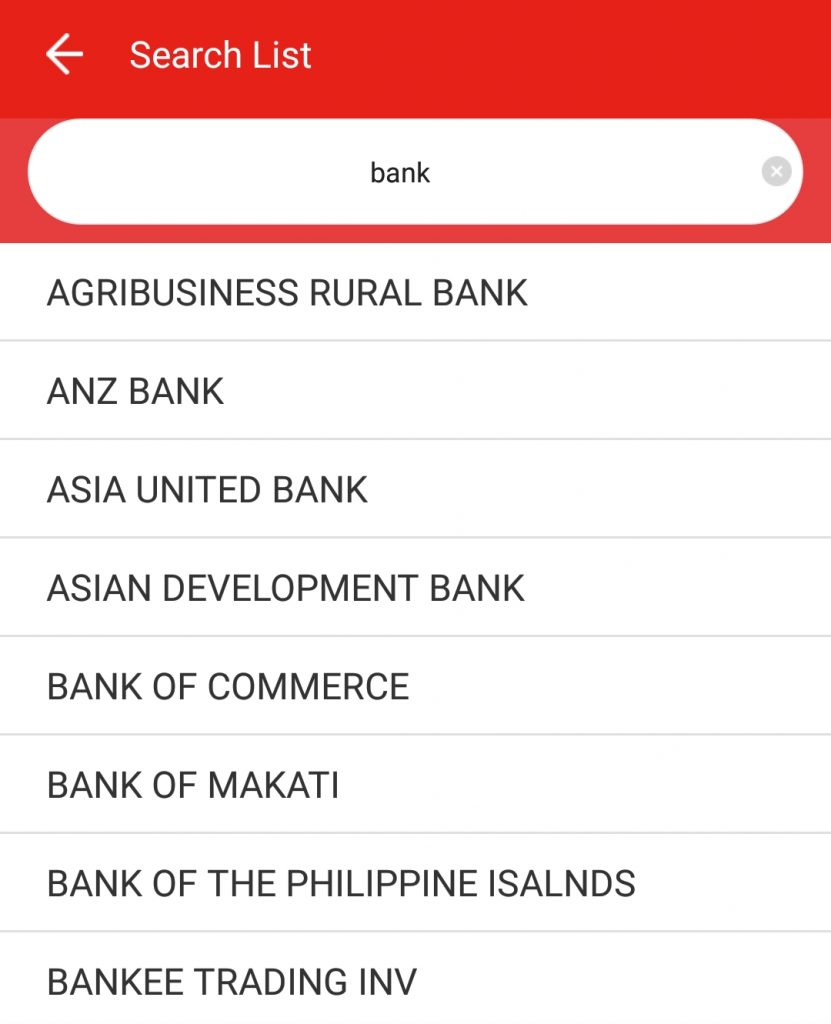 Step 11: You will be asked to activate your account so you can avail of Akulaku services. Click Activate.
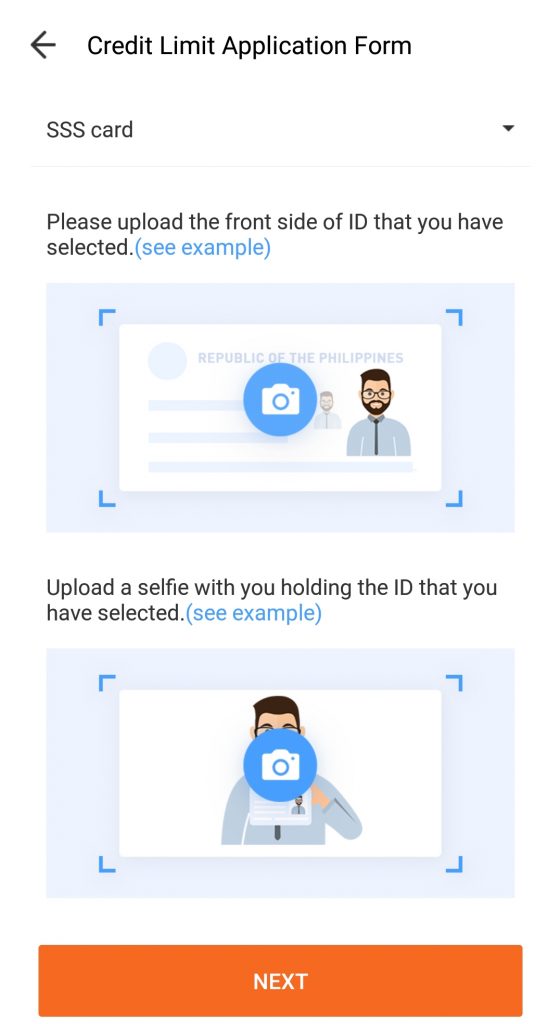
  Step 12: Input the necessary information being asked, including the convenient time you want to be contacted. Make sure to upload clear picture of your ID to make it easy for the Verification Team to process your application.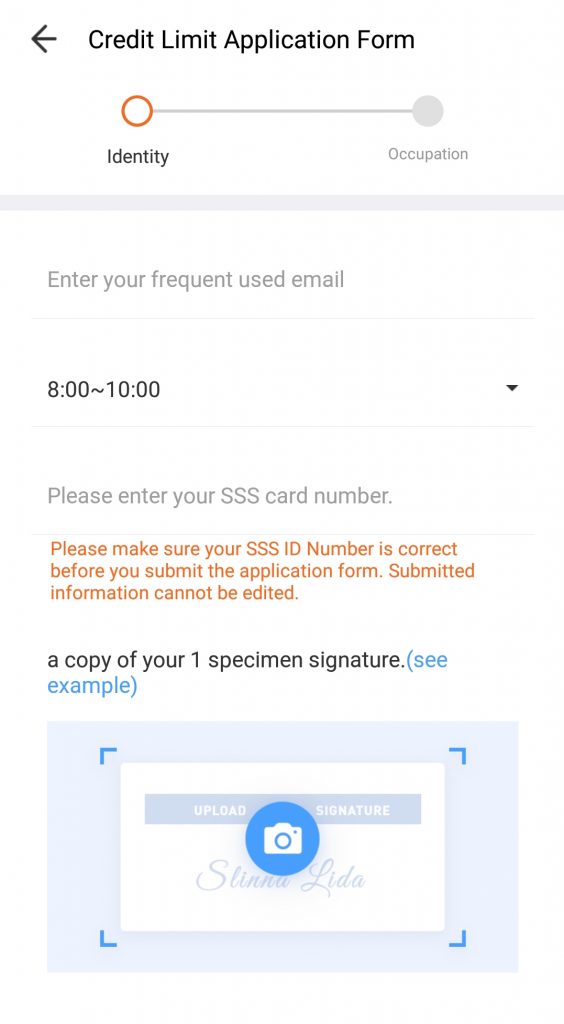
 Step 13: As soon as you completed Step 12, your account will now be reviewed by Akulaku team. Per Akulaku website, your credit limit application will be reviewed and processed within 48 hours. A representative from Akulaku’s Verification Team will also call you on within that 48 hours to check the information you provided.
Recent Posts
Tag Cloud
Akulaku
Availa
Bank Loan
BillEase
Binixo
Business Loans
Cashalo
Cash Mart
Cashwagon
Comparison
Credit24
Doctor Cash
Dr Cash
Esquire
First Circle
First Circle Review
Home Credit
Home Credit Philippines Review
How to apply
Installment plan
Lazada
Lazada Installment Plan
Lendr
Loanranger
Loan Ranger
Moola
My Cash
Online Cash
Online Cash Loan
Online Loan
Online Personal Loan
PAG-IBIG
PAG-IBIG Multi-Purpose Loan
Pera247
Personal Loan
Quickpera
Review
Robocash
SALAD
Security Bank
SSS Loan
SSS Salary Loan
Tala
Tala Loan
Tala Philippines
Recent Comments
- loans on Home Credit Review: What Customers Have to Say About It
- loans on Get an Installment Plan for Your Lazada Purchase with the Help of BillEase
- loans on Home Credit Review: What Customers Have to Say About It
- Nick on Home Credit Review: What Customers Have to Say About It
- Michaela on Home Credit Review: What Customers Have to Say About It
Archives
- March 2021
- February 2021
- January 2021
- December 2020
- November 2020
- October 2020
- September 2020
- August 2020
- July 2020
- June 2020
- February 2020
- October 2019
- September 2019
- June 2019
- November 2018
- October 2018
- September 2018
- August 2018
- July 2018
- June 2018
- May 2018
- April 2018
- February 2018
- December 2017
- November 2017
- October 2017
- September 2017
- August 2017
- July 2017
- June 2017
- May 2017
- February 2017
Categories
- Aeon Philippines
- Akulaku
- Atome (Kredit Pintar)
- BillEase
- Business Loans
- Cash Mart
- Cashalo
- Cashwagon
- Credit24
- DiskarTech
- Esquire Financing
- First Circle
- Home Credit
- Jungle
- Lazada Loans
- Lendr
- Loan Ranger
- Moola Lending
- Online Cash Loans
- Pag Ibig
- Paylater
- Pera247
- PeraJet
- Personal Loan
- PondoPeso
- Robocash
- Security Bank
- Shop Now, Pay Later
- SSS Loan
- Tala Philippines
- TendoPay
- UnaPay
- Uncategorized
Can I aplly for a loan my main source of income is only space for rebt but I have remmitances from the USA
Hello Amado. Yes you can. You just have to upload a photocopy of bank statements or any proof showing that you have this amount every month.