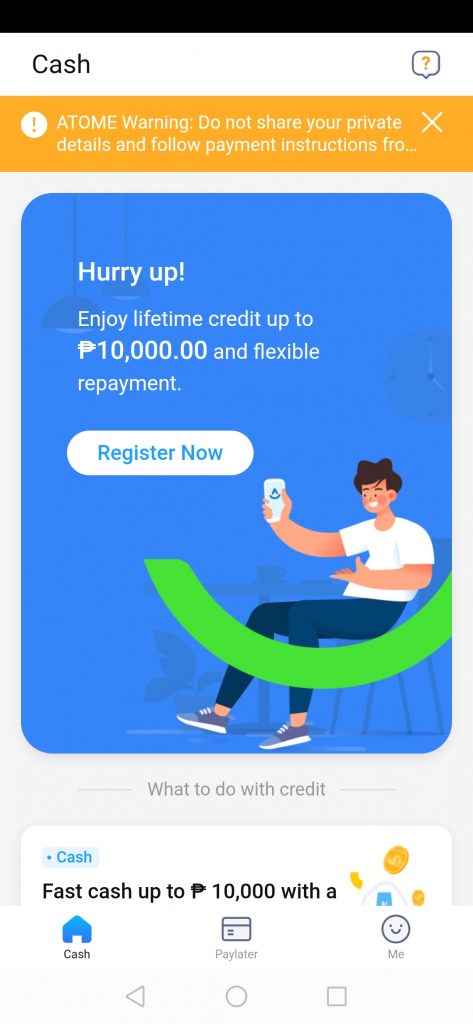
 Step 3: Register using your mobile number. Make sure that your number is active since this is where notifications will be sent.
 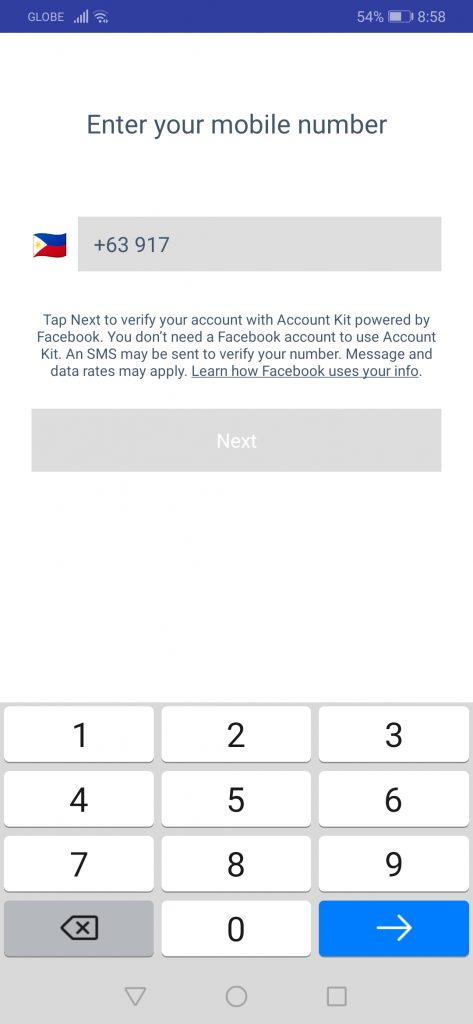 Step 4: A text message will be sent on your mobile number. Input the code to verify your account.
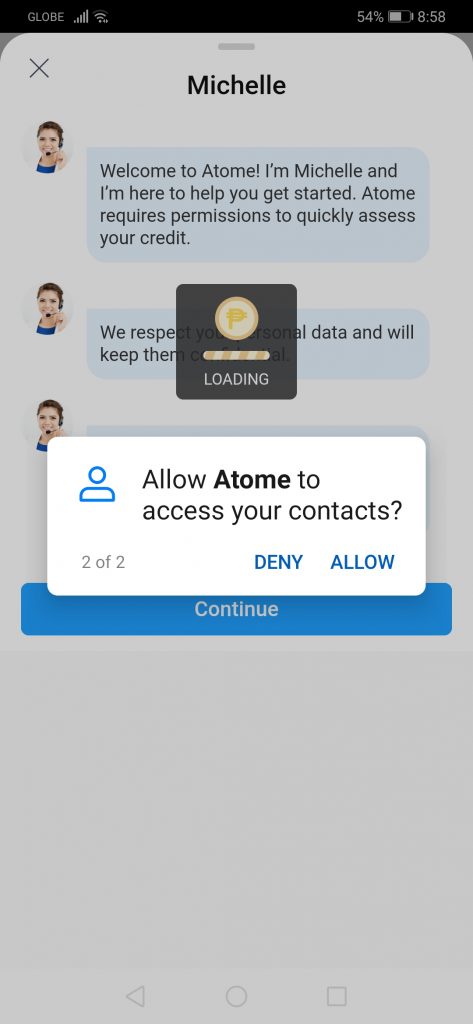
  Step 5: Log-in. Make sure you click Allow to let Atome manage your phone calls and contacts. Take note that this is needed, otherwise, you won’t be able to apply for a loan.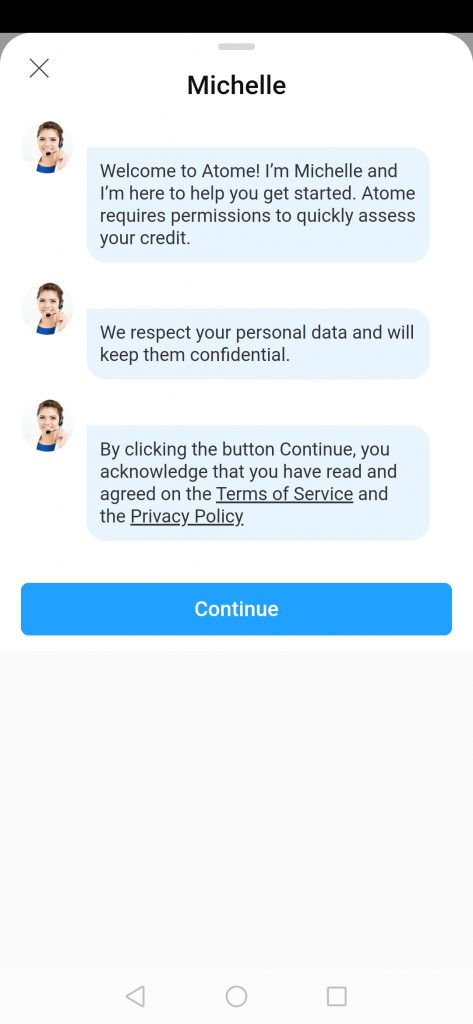
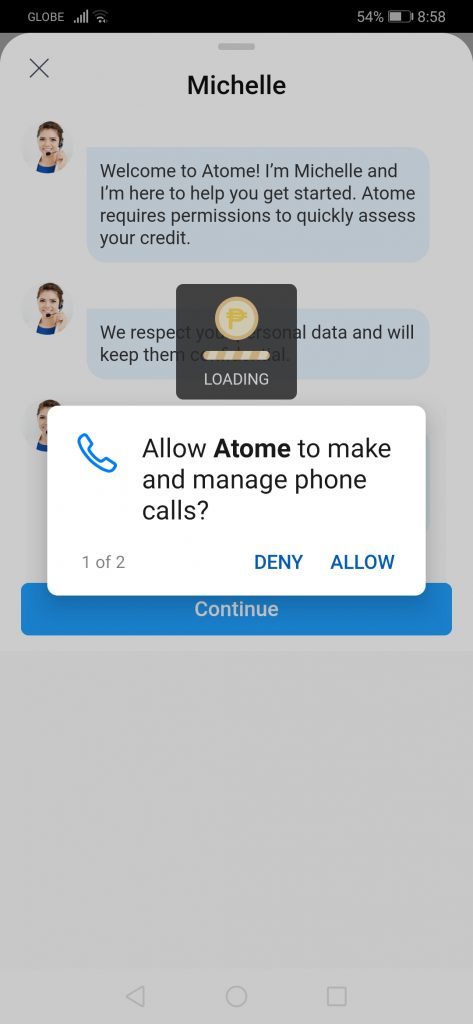
 Step 6: Start entering your personal details such as name, birthdate, address, and employment details among others. It is imperative that you are honest with your details since this helps Atome verify your credibility as a borrower.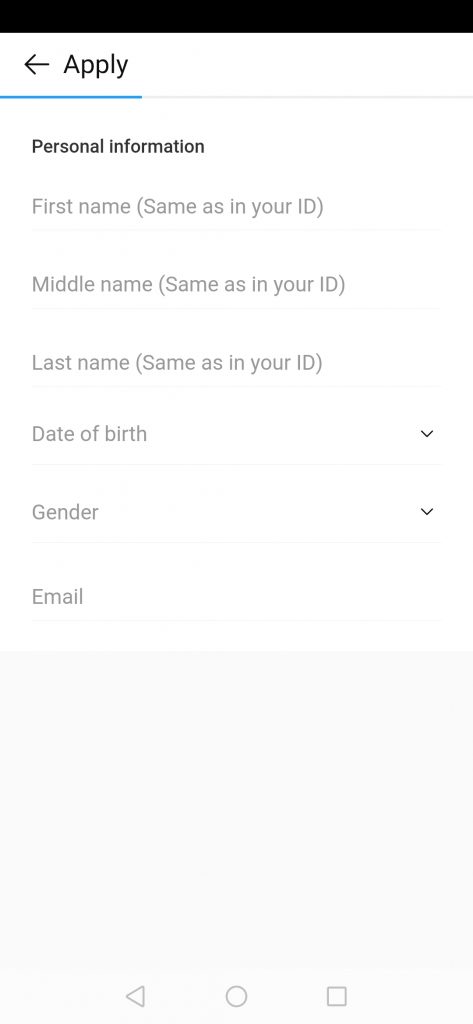
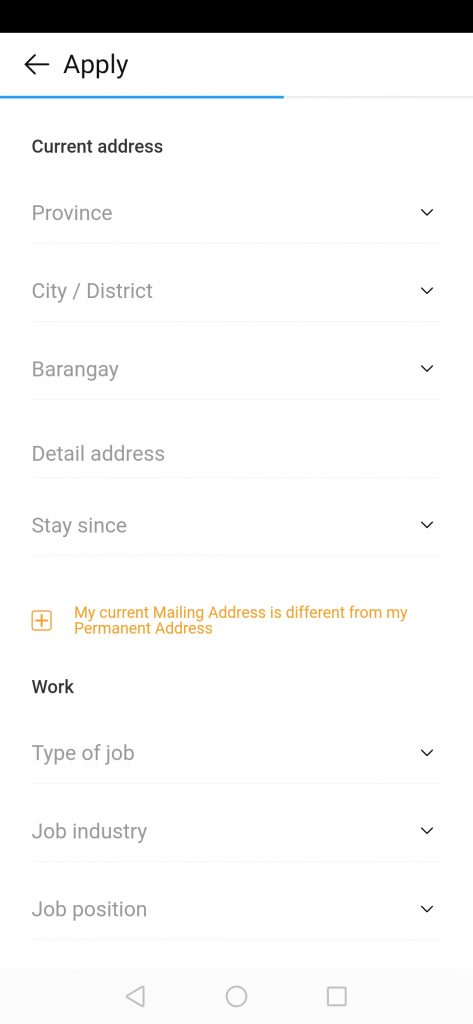
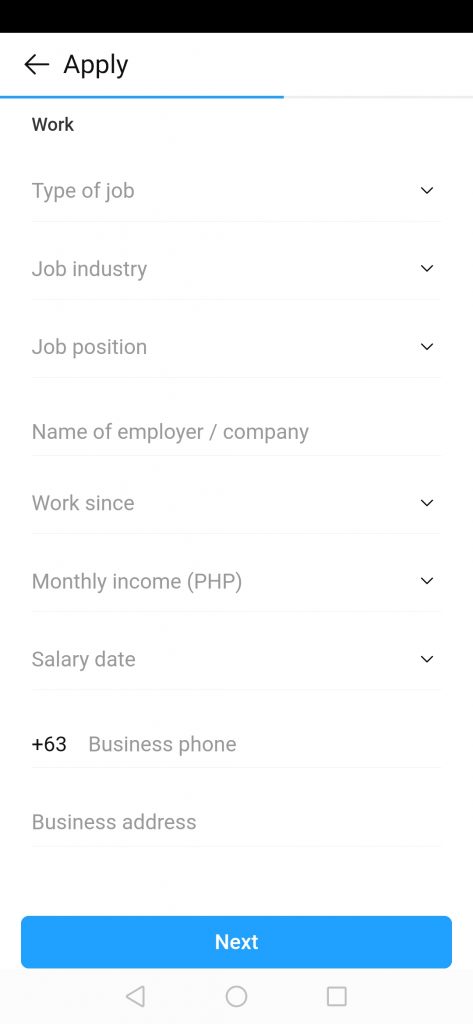 Step 7: Once you’re done filling out your details, you can now apply for a loan. Keep in mind that for first-time borrowers, you can only borrow up to P2,000. Through frequent borrowing, you may be able to borrow as much as P10,000, which are payable in three months
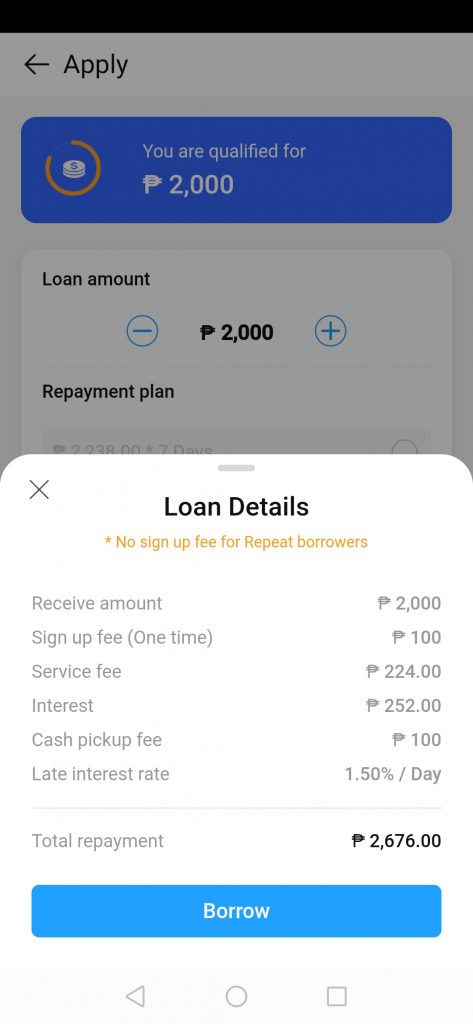
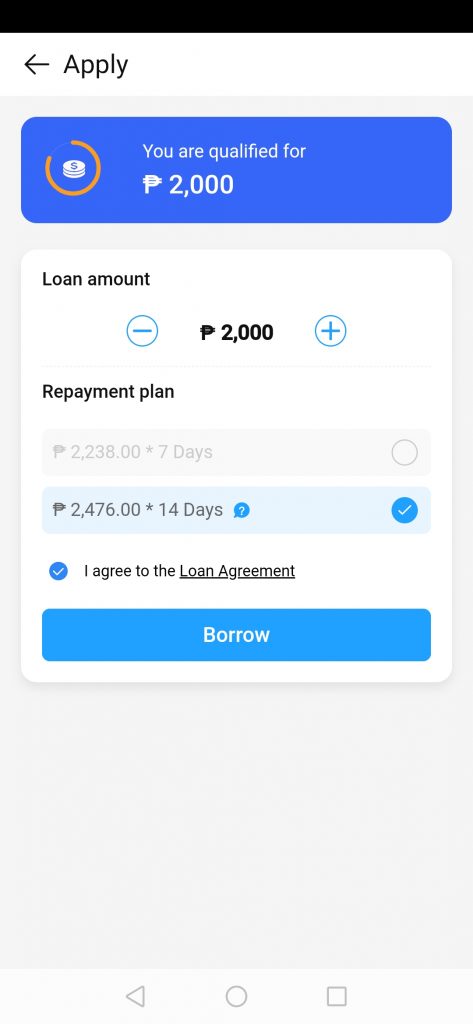 Step 8: Your loan details will be displayed as well as the breakdown of fees. If you agree and sure to borrow, click Borrow.
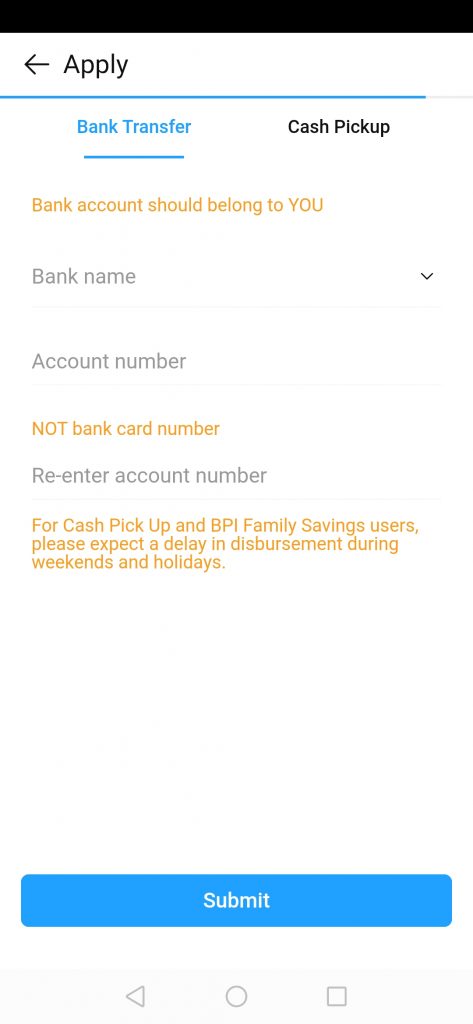
  Step 9: Choose between Bank Transfer or Cash Pickup for your mode of disbursement. For cash pickup, only Cebuana Lhuillier is the authorized disbursement channel of Atome.
  Step 10: Atome representatives will review your loan application. Wait for confirmation on whether or not you are qualified.
Recent Posts
Tag Cloud
Akulaku
Availa
Bank Loan
BillEase
Binixo
Business Loans
Cashalo
Cash Mart
Cashwagon
Comparison
Credit24
Doctor Cash
Dr Cash
Esquire
First Circle
First Circle Review
Home Credit
Home Credit Philippines Review
How to apply
Installment plan
Lazada
Lazada Installment Plan
Lendr
Loanranger
Loan Ranger
Moola
My Cash
Online Cash
Online Cash Loan
Online Loan
Online Personal Loan
PAG-IBIG
PAG-IBIG Multi-Purpose Loan
Pera247
Personal Loan
Quickpera
Review
Robocash
SALAD
Security Bank
SSS Loan
SSS Salary Loan
Tala
Tala Loan
Tala Philippines
Recent Comments
- loans on Home Credit Review: What Customers Have to Say About It
- loans on Get an Installment Plan for Your Lazada Purchase with the Help of BillEase
- loans on Home Credit Review: What Customers Have to Say About It
- Nick on Home Credit Review: What Customers Have to Say About It
- Michaela on Home Credit Review: What Customers Have to Say About It
Archives
- March 2021
- February 2021
- January 2021
- December 2020
- November 2020
- October 2020
- September 2020
- August 2020
- July 2020
- June 2020
- February 2020
- October 2019
- September 2019
- June 2019
- November 2018
- October 2018
- September 2018
- August 2018
- July 2018
- June 2018
- May 2018
- April 2018
- February 2018
- December 2017
- November 2017
- October 2017
- September 2017
- August 2017
- July 2017
- June 2017
- May 2017
- February 2017
Categories
- Aeon Philippines
- Akulaku
- Atome (Kredit Pintar)
- BillEase
- Business Loans
- Cash Mart
- Cashalo
- Cashwagon
- Credit24
- DiskarTech
- Esquire Financing
- First Circle
- Home Credit
- Jungle
- Lazada Loans
- Lendr
- Loan Ranger
- Moola Lending
- Online Cash Loans
- Pag Ibig
- Paylater
- Pera247
- PeraJet
- Personal Loan
- PondoPeso
- Robocash
- Security Bank
- Shop Now, Pay Later
- SSS Loan
- Tala Philippines
- TendoPay
- UnaPay
- Uncategorized